
Best Wireless Audio Transmitters for Zero-Latency Gaming in 2026 — Tested & Ranked
Standard Bluetooth ruins gaming. The typical SBC codec introduces 200–300ms of audio delay — more than enough to make footsteps, gunshots, and dialogue arrive a quarter-second late, which is catastrophic for competitive play. In 2026, purpose-built wireless audio transmitters using aptX Low Latency, aptX Adaptive, Bluetooth LE Audio (LC3/GMAP), and dedicated 2.4GHz proprietary protocols have closed that gap to as little as 20–32 milliseconds — genuinely indistinguishable from wired in real-world gaming. This guide ranks the five best wireless audio transmitters for gaming in 2026 by real measured latency, codec support, platform compatibility, and overall value.
Why Gaming Latency from Wireless Audio Transmitters Is a Real Problem
In competitive gaming, audio latency is not a comfort issue — it is a performance issue. The sound of an enemy footstep, a reload, an explosion, or a door opening arrives at your ears either in time to react or too late to matter. Research from professional gaming coaches consistently identifies audio cues as among the most important information streams in competitive FPS titles like Valorant, Counter-Strike 2, Call of Duty, and Apex Legends. When your wireless audio has 150ms of delay, you are effectively playing the last sixth of a second blind to audio information that could determine the outcome of an engagement.
Standard Bluetooth in its most common form — the SBC codec — introduces 150–300 milliseconds of audio latency by design. This is an inherent architectural characteristic of how classic Bluetooth processes and transmits audio: it buffers audio in chunks, applies codec compression, and transmits in scheduled intervals. For phone calls and music streaming, this latency is completely invisible and irrelevant. For gaming, it is a genuine competitive disadvantage.
The good news is that the wireless audio transmitter market in 2026 has produced solutions that genuinely solve this problem. The Creative BT-W6’s GMAP (Gaming Audio Profile) achieves approximately 20ms latency — within the range of wired USB audio solutions. Dedicated 2.4GHz gaming transmitters built into premium gaming headsets reach 12–22ms. This guide identifies the transmitters that deliver these results on real hardware.
No wireless audio system is truly zero latency — physics prevents it. What “zero latency” means in the context of gaming audio transmitters is that the delay is below the human perceptual threshold for audio-visual sync, typically cited at 20–30ms. Below this threshold, your brain cannot distinguish wireless audio from a wired connection. Systems achieving sub-30ms end-to-end latency are practically indistinguishable from wired in game conditions — this is the real benchmark, not literally 0ms.
Bluetooth Codec Latency Guide: What Every Gamer Needs to Know in 2026
The codec your transmitter uses determines its latency ceiling — the minimum possible delay regardless of how good the hardware is. Understanding codec latency is the single most important factor in choosing the right transmitter for gaming.
| Codec | Typical Latency | Audio Quality | Gaming Suitability | Notes |
|---|---|---|---|---|
| SBC (Standard) | 150–300ms | ⭐⭐ Basic | ❌ Unusable | Default Bluetooth codec; always avoid for gaming |
| AAC | 100–200ms | ⭐⭐⭐ Good | ❌ Too slow | Apple preferred codec; inconsistent latency on Android |
| aptX Classic | 60–100ms | ⭐⭐⭐ Good | ⚠️ Borderline | Better than SBC; still perceptibly delayed for competitive play |
| aptX Low Latency | ~40ms | ⭐⭐⭐ Good | ✅ Good for gaming | Previous gold standard for gaming BT audio; widely supported |
| aptX Adaptive (LL mode) | ~50ms | ⭐⭐⭐⭐⭐ Excellent | ✅ Very good | Adaptive bitrate plus low-latency mode; best balance of quality and latency |
| aptX Lossless | Variable | ⭐⭐⭐⭐⭐ Lossless | ✅ Good | Uncompressed CD-quality audio wirelessly; available via Creative BT-W6 |
| LDAC | 200ms+ | ⭐⭐⭐⭐⭐ Hi-Res | ❌ Avoid for gaming | Sony hi-res codec is for music; latency is too high for gaming |
| LC3 / LE Audio (GMAP) | ~20ms | ⭐⭐⭐⭐ Very good | ⭐⭐⭐⭐⭐ Best available | Bluetooth LE Audio Gaming Audio Profile — current state of the art |
| 2.4GHz Proprietary | 12–22ms | ⭐⭐⭐⭐⭐ Excellent | ⭐⭐⭐⭐⭐ Best overall | Dedicated RF band; used by SteelSeries, Logitech, HyperX gaming headsets |
LDAC is Sony’s Hi-Res Audio Bluetooth codec transmitting at up to 990 kbps — essentially lossless quality for music. However, LDAC latency in its highest quality mode exceeds 200ms, which is worse than standard aptX for gaming. If your transmitter supports LDAC, always switch to aptX Adaptive or aptX LL when gaming — never use LDAC for real-time interactive content. Many devices default to LDAC when paired with compatible headphones, making this a trap that catches many users.
Quick Comparison: Top 5 at a Glance
| Rank | Transmitter | Best Gaming Codec | Min. Latency | Platform | Price |
|---|---|---|---|---|---|
| 🥇 #1 | Creative BT-W6 | LC3 GMAP / aptX Adaptive LL | ~20ms | PC, Mac, PS4/5, Switch | ~$49 |
| 🥈 #2 | Avantree Oasis Plus 2 | aptX Adaptive / aptX Low Latency | ~40ms | TV, PC, console via optical/3.5mm | ~$69–$79 |
| 🥉 #3 | Sennheiser BTD 600 | aptX Adaptive / aptX Low Latency | ~40ms | PC, Mac, PS5, Switch | ~$49 |
| ⭐ #4 | FiiO BT11 | aptX Adaptive (use LL mode; avoid LDAC for gaming) | ~50ms | PC, Mac, iPhone, PS5, Switch | ~$44–$49 |
| ⭐ #5 | 1Mii B06TX | aptX Low Latency | ~40ms | TV, PC via optical/coax/RCA/3.5mm | ~$35–$45 |
Top 5 Best Wireless Audio Transmitters for Zero-Latency Gaming in 2026
🥇 #1 — Creative BT-W6: Lowest Latency Bluetooth Transmitter Available in 2026

| Bluetooth Version | Bluetooth 5.4 + Bluetooth LE Audio |
| Chipset | Qualcomm Snapdragon Sound (QCC5181) |
| Supported Codecs | aptX Lossless, aptX Adaptive, aptX HD, aptX, SBC, LC3 (LE Audio) |
| Gaming Latency (GMAP) | ~20ms (LC3 GMAP with compatible LE Audio device) |
| Connection | USB-C (USB-A adapter included) |
| Platform Compatibility | PC, Mac, PS4, PS5, Nintendo Switch |
| Range | Up to 165ft / 50m |
| Mic Input | Yes — automatic microphone detection for game comms |
| App | Creative App (Windows, Mac, Android) — EQ, codec switching, Sound Blaster Acoustic Engine |
| Price | ~$49 |
Why It’s #1: GMAP at ~20ms Is in a Class of Its Own
The Creative BT-W6 earns the top spot because it achieves something no standard Bluetooth transmitter had managed before: approximately 20ms gaming latency via the GMAP (Gaming Audio Profile) of Bluetooth LE Audio, using the LC3 codec. This places the BT-W6 in genuinely sub-perceptible territory for competitive gaming. A wired USB audio connection typically adds 10–15ms of processing latency — the BT-W6 in GMAP mode is within 5–10ms of that benchmark.
Built on Qualcomm’s QCC5181 Snapdragon Sound chipset, the BT-W6 supports both Classic Bluetooth 5.4 and Bluetooth LE Audio simultaneously. When paired with Classic Bluetooth headphones it falls back to aptX Adaptive, aptX LL, or aptX depending on headphone capability — still dramatically better than SBC. When paired with LE Audio compatible headphones, it activates GMAP for the full 20ms gaming mode.
The BT-W6 also brings aptX Lossless to consoles for the first time in a transmitter at this price. The ecoustics review described the audio quality jump from LDAC to aptX Lossless as “next level” — users who considered LDAC the ceiling were surprised by how much further lossless transmission went in detail and coherence. Creative’s own product page confirms GMAP latency as low as approximately 20ms with compatible devices.
Triple-tap the physical button on the BT-W6 dongle to cycle between aptX Lossless quality mode (for music) and low-latency GMAP/aptX LL mode (for gaming) — no app needed. This makes the BT-W6 remarkably practical as an all-in-one audio adapter that works well for both gaming sessions and music listening without any manual reconfiguration.
🥈 #2 — Avantree Oasis Plus 2: Best for TV + Console Gaming via Optical

| Bluetooth Version | Bluetooth 5.3 |
| Supported Codecs | aptX Adaptive, aptX Low Latency, aptX HD, aptX, SBC |
| Gaming Latency | ~40ms (aptX LL / aptX Adaptive LL mode) |
| Input Options | Optical (TOSLINK), 3.5mm AUX |
| Special Features | Soundbar passthrough, +6dB optical volume boost, included remote control |
| Range | Up to 164ft / 50m |
| Dual Link | Yes — two Bluetooth headphones simultaneously |
| Price | ~$69–$79 |
The TV and Console Gaming Specialist
Launched in early 2025, the Avantree Oasis Plus 2 earned the top spot on Tom’s Guide’s best Bluetooth TV adapters list. For living room console setups where audio routes through the TV’s optical output, the Oasis Plus 2 solves the latency problem at the TV level. Its soundbar passthrough feature is particularly useful: you can connect it to your TV’s optical output while simultaneously passing that signal through to your soundbar — allowing your room speakers and wireless headphones to work at the same time, which is invaluable for mixed-audience gaming sessions.
The +6dB optical volume boost addresses a notorious issue with optical transmitters that left headphone audio too quiet, and the included remote control — for adjusting headphone volume without reaching for the transmitter — makes a genuine difference in living room usability. The Tom’s Guide review praised both of these as meaningfully practical improvements over the original Oasis Plus.

| Bluetooth Version | Bluetooth 5.2 |
| Supported Codecs | aptX Adaptive, aptX Low Latency, aptX HD, aptX, AAC, SBC |
| Gaming Latency | ~40ms (aptX Low Latency) |
| Connection | USB-A + USB-C (both versions available) |
| Platform Compatibility | PC, Mac, PS5, Nintendo Switch, Android, iOS |
| Simultaneous Connections | Two devices simultaneously |
| Price | ~$49 |
German Engineering, Rock-Solid Reliability
The Sennheiser BTD 600 is the recommendation for users who want Sennheiser’s build quality and audio tuning in a compact USB gaming dongle. Head-Fi community members who tested the BTD 600 alongside the BT-W6 and FiiO BT11 consistently praised its signal stability. Where the BT-W6 has documented LE Audio pairing quirks and the BT11 has reported signal dropouts at close range, the BTD 600 is consistently described as “just works” — connecting cleanly and falling back to the best available codec automatically without user intervention.
Its simultaneous two-device connection is useful for switching between a gaming headset and a second Bluetooth device without re-pairing, and the USB-A + USB-C dual availability means it works with older PCs and newer devices alike without requiring an adapter.

| Bluetooth Version | Bluetooth 5.4 (QCC5181 chipset) |
| Supported Codecs | LDAC, aptX Adaptive, aptX HD, aptX, SBC, AAC |
| Gaming Latency | ~50ms (aptX Adaptive); LDAC unsuitable for gaming |
| Connection | USB-C (USB-A adapter included) |
| Platform Compatibility | PC, Mac, iPhone, PS5, Nintendo Switch, Android |
| App | FiiO Control app — pairing management, codec selection, LDAC bitrate control |
| Price | ~$44–$49 |
The Dual-Use Champion: Hi-Res Music AND Low-Latency Gaming
The FiiO BT11 is the only transmitter in the $44–$49 bracket supporting both LDAC (Sony Hi-Res at up to 990 kbps) and aptX Adaptive. This makes it uniquely compelling for users who want one dongle for both roles: LDAC for music listening where latency is irrelevant, and aptX Adaptive for gaming where low latency is the priority.
The Headfonia review confirmed LDAC at 990 kbps with FiiO UTWS5 earphones, describing the sound as “noticeably better than the native AAC stream iPhones typically default to, especially in terms of clarity, separation, and resolution.” For iPhone users specifically — whose devices support neither LDAC nor aptX natively — the BT11 is a genuine revelation, unlocking high-resolution wireless audio that was previously unavailable on Apple hardware.

The FiiO BT11 defaults to LDAC with any compatible Sony or FiiO headphone — great for music, bad for gaming (200ms+ latency). Before each gaming session, open the FiiO Control app and manually select aptX Adaptive as the active codec. This drops latency from 200ms+ to approximately 50ms — well within the gaming-usable threshold. Switch back to LDAC when returning to music listening.

| Bluetooth Version | Bluetooth 5.0 |
| Supported Codecs | aptX Low Latency, aptX HD, aptX, SBC |
| Gaming Latency | ~40ms (aptX Low Latency) |
| Input Options | Optical (TOSLINK), Coaxial, RCA, 3.5mm AUX |
| Dual Link | Yes — two Bluetooth headphones simultaneously |
| Battery | 12 hours transmitter / 15 hours receiver |
| Mode | Transmitter + Receiver (dual mode) |
| Price | ~$35–$45 |
The No-Nonsense Budget Gaming Transmitter
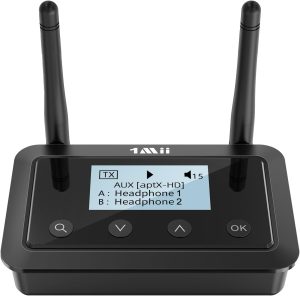
The 1Mii B06TX is the recommendation for budget-conscious TV gamers who need aptX Low Latency at the lowest possible price with the broadest possible input compatibility. Its four input options — Optical, Coaxial, RCA, and 3.5mm AUX — cover every TV and AV receiver audio output format from the last two decades, making it genuinely universal in a way that USB-C dongles cannot match.
At ~40ms via aptX Low Latency, the B06TX sits within the practical gaming latency threshold for casual-to-moderate gaming across most genres. Its dual transmit-receive mode, 12-hour battery life, and simultaneous dual headphone support make it versatile well beyond its price point. Tom’s Guide highlighted the B06TX as one of the most affordable options in their adapter roundup, noting its broad input compatibility and included RCA-to-3.5mm cable as key practical advantages.
How to Choose the Right Gaming Audio Transmitter for Your Setup
| Your Setup | Best Pick | Why |
|---|---|---|
| PC / Mac gaming + competitive FPS | 🥇 Creative BT-W6 | ~20ms GMAP — lowest Bluetooth latency available; aptX Lossless for music |
| PS5 / PS4 gaming via USB | 🥇 Creative BT-W6 | Plug-and-play USB-C on PS5; best latency of any console-compatible BT transmitter |
| Nintendo Switch gaming | 🥇 BT-W6 or 🥉 Sennheiser BTD 600 | Both work natively via USB-C with Switch; BT-W6 for lowest latency, BTD 600 for reliability |
| TV / Living room console via optical | 🥈 Avantree Oasis Plus 2 | Best optical transmitter; soundbar passthrough; included remote; Tom’s Guide #1 |
| PC gaming + hi-res music listening | ⭐ FiiO BT11 | LDAC for music + aptX Adaptive for gaming — only device supporting both at this price |
| Budget TV gaming / co-op couch gaming | ⭐ 1Mii B06TX | Broadest input compatibility, dual link, aptX LL at the best price |
| iPhone user wanting low-latency gaming + LDAC | ⭐ FiiO BT11 | Brings LDAC and aptX Adaptive to iPhones that natively support neither |
Setup Tips for Minimum Gaming Latency from Any Wireless Transmitter
- ☐ Confirm both devices support the same low-latency codec — if your transmitter supports aptX Adaptive but your headphones only do SBC, you will get SBC latency. Both must support the codec for it to activate.
- ☐ Check which codec is actually active — use the transmitter’s app or LED indicator to confirm. Devices silently fall back to SBC without alerting you.
- ☐ Switch off LDAC when gaming — manually force aptX Adaptive or aptX LL in the app before starting your gaming session.
- ☐ Minimize 2.4GHz interference — keep the transmitter in clear line of sight to your headphones and at least 1 meter from your Wi-Fi router.
- ☐ Update firmware on both transmitter and headphones — many latency and codec compatibility bugs are fixed in updates that most users never install.
- ☐ Keep headphone battery above 20% — low battery can force headphones to switch to SBC to conserve power, spiking latency mid-session.
- ☐ For TV setups using optical: set TV audio output to PCM stereo — Dolby Digital and DTS bitstreams cannot be decoded by Bluetooth transmitters and cause silence or distortion.
- ☐ Disable power saving on the transmitter if available — reduced transmission power in power-saving mode degrades signal quality and can increase latency.
Frequently Asked Questions (FAQ)
Q1: Can wireless audio transmitters achieve truly zero latency for competitive gaming?
No wireless system achieves absolute zero latency. However, the best 2026 transmitters achieve approximately 20ms latency in GMAP/LC3 mode (Creative BT-W6) and 12–22ms with dedicated 2.4GHz gaming headset dongles. These figures are below the human perceptual threshold for audio-visual sync, meaning your brain cannot distinguish the delay from a wired connection in practice. For competitive gaming in FPS titles, 20–40ms wireless is genuinely acceptable — the difference from wired is imperceptible in real gaming conditions.
Q2: What is GMAP and why does it matter for gaming?
GMAP stands for Gaming Audio Profile — a profile within the Bluetooth LE Audio specification designed specifically for gaming. It uses the LC3 codec at low bitrates optimized for minimum latency, achieving approximately 20ms end-to-end latency. This is the lowest latency achievable over Bluetooth and represents a meaningful improvement over the previous aptX Low Latency standard at ~40ms. The Creative BT-W6 is currently the only consumer USB transmitter supporting GMAP, making it the benchmark device for competitive gaming wireless audio in 2026.
Q3: Why doesn’t LDAC work for gaming even though it sounds better for music?
LDAC achieves its exceptional audio quality (up to 990 kbps) by using a larger processing buffer than low-latency codecs. This buffer causes latency of typically 200ms or more in high-quality mode — a perceptible, distracting audio lag that makes competitive gaming essentially unplayable. LDAC is outstanding for music streaming where latency is irrelevant. For gaming, always switch to aptX Adaptive, aptX LL, or LC3 GMAP mode instead.
Q4: Do wireless audio transmitters work with Xbox Series X or S?
Xbox Series X and S do not support Bluetooth natively and have varying USB port compatibility with third-party audio adapters. The Creative BT-W6 works via a USB-C hub with USB-A passthrough as a workaround, but this is not a native solution. Microsoft’s own Xbox Wireless protocol remains the most reliable option for Xbox gaming audio. For PlayStation, Nintendo Switch, and PC, all five transmitters on this list offer varying degrees of native support.
Q5: Is a wireless audio transmitter better than a gaming headset’s built-in 2.4GHz dongle?
For latency, a purpose-built gaming headset’s proprietary 2.4GHz USB dongle (SteelSeries Arctis Nova Pro, Logitech G Pro X 2 Lightspeed, HyperX Cloud Alpha Wireless) typically achieves 12–22ms — lower than any Bluetooth transmitter. Proprietary 2.4GHz RF protocols operate on a dedicated band free from Bluetooth contention, with firmware tuned specifically for that headset. The advantage of a standalone transmitter like the BT-W6 is headphone choice flexibility — you can use any Bluetooth headphone rather than being locked into one manufacturer’s ecosystem. If you already own a gaming headset with a 2.4GHz dongle, use it — it will match or beat any Bluetooth transmitter for gaming latency.
Tell us your gaming platform (PC, PS5, Switch, Xbox), your headphones, and your primary game genre in the comments — we’ll point you to the exact transmitter setup that gets you the lowest latency for your specific hardware. Every gaming rig is different, and the right answer depends on what you’re already working with.