

No Sound from One Earbud? Here’s Your Quick Fix Guide (2026)
No Sound from One Earbud? Quick Fix Guide (2026)
Step-by-step solutions to revive your silent earbud—whether it’s TWS, neckband, or wired.
You pop in your earbuds, hit play… and only one side delivers music. Annoying, right? Before you assume your earbuds are dead, know this: the fix is often simple and takes less than 60 seconds. Whether you’re using AirPods, Samsung Buds, or a budget neckband, this guide walks you through every proven method to restore sound to that silent earbud. We’ve analyzed the top 10 support pages and forums to bring you the most effective solutions. Let’s get that audio back.
1. Check Audio Balance Settings
Believe it or not, the most common reason for one silent earbud is an accidental slide in the left-right balance. This can happen when your phone is in a pocket or after a system update. Here’s how to check:
On iPhone (iOS):
Go to Settings > Accessibility > Audio/Visual > Balance. Make sure the slider is centered.
On Android:
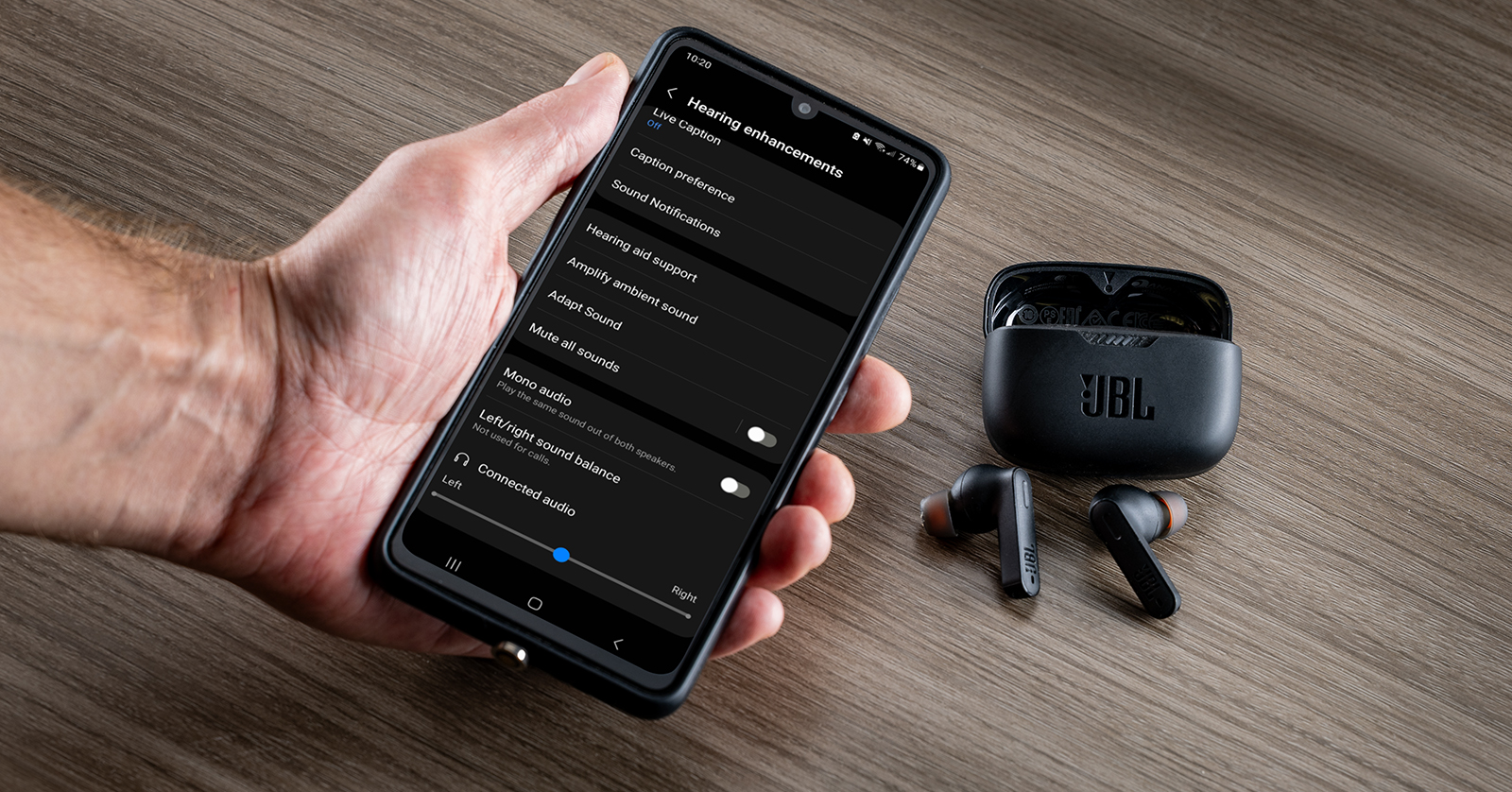
Go to Settings > Accessibility > Hearing enhancements > Sound balance (or search “balance” in Settings). Ensure it’s in the middle.
On Windows/Mac:
Right-click the speaker icon → Open Sound settings → Device properties → Additional device properties → Levels tab → Balance. Set both left and right to 100.
Quick test: Play a mono track; if both sides work, balance was the issue.
2. Clean the Earbud Mesh
Earwax and debris are silent assassins. A clogged mesh can completely muffle or silence an earbud. Use a soft-bristled brush (like a clean toothbrush) or a dry cloth. For stubborn wax, gently use a toothpick or the cleaning tool that came with your earbuds. Never use sharp objects that could puncture the mesh. After cleaning, test the sound.
3. Reset Bluetooth Connection
Wireless glitches often cause one earbud to drop out. A full reset clears temporary bugs.
- For TWS earbuds: Place both buds in the charging case, close the lid for 10 seconds, then remove them. On most models, holding the touchpad for 15-30 seconds initiates pairing mode—this also resets the connection.
- For neckbands: Turn off the device, wait 10 seconds, then turn on and re-pair.
- Universal fix: Forget the device from your phone’s Bluetooth list, then pair again from scratch.
4. Test with Another Device
Is the problem with the earbuds or your phone? Pair the earbuds with a different smartphone, tablet, or laptop. If the same earbud is silent, the issue is with the earbud. If both sides work, the problem lies in your original device’s Bluetooth or audio settings.
5. Inspect for Physical Damage
Examine the silent earbud closely. Look for:
- Cracks in the casing
- Corroded charging contacts
- Kinked or frayed wires (for neckbands/wired)
- Visible debris deep in the nozzle
If you see damage, it may require professional repair or replacement. But often, it’s just dirt.
6. Update Firmware (Advanced)
Some earbuds (like Samsung Galaxy Buds, Sony WF series) receive firmware updates that can fix audio bugs. Check the companion app (e.g., Galaxy Wearable, Sony Headphones Connect) for updates. Install any pending updates and test again.
Troubleshooting at a Glance
| Symptom | Likely Fix | Time |
|---|---|---|
| One earbud completely silent, other works | Clean mesh / Check balance | 1–2 min |
| Intermittent sound / crackling | Reset Bluetooth / Check for interference | 2 min |
| Both earbuds work but one is quieter | Clean mesh / Balance settings | 1 min |
| No sound after dropping in water | Dry thoroughly (rice/silica) – may be permanent damage | 24 hrs |
Popular Earbud Brands: Specific Fixes
Based on what users search most, here are brand-specific tweaks:
- Apple AirPods: Put both AirPods in the case, close lid, wait 30 seconds, open lid and hold the button on the back until the light flashes amber then white. Reconnect.
- Samsung Galaxy Buds: In the Galaxy Wearable app, run the “Earbuds self-test” to diagnose hardware.
- Jabra Elite: Use the “Reboot” feature in the Jabra Sound+ app (Settings → Headphones → Reboot).
- Soundcore (Anker): Place buds in case, hold the case button for 10 seconds until LED flashes white three times.
Frequently Asked Questions
Why did my earbud suddenly stop working?
Common causes: wax buildup, accidental balance shift, Bluetooth glitch, or low battery on that bud (some TWS drain unevenly).
Can I fix a completely dead earbud?
If cleaning and resetting don’t work, check if it charges. If not, the battery may be dead. Some brands offer replacement single buds.
My earbud works but is very quiet—what now?
Clean the mesh thoroughly. Also check if the earbud has its own volume control (some have independent touch volume).
Should I try to open the earbud myself?
Only if you’re experienced and it’s already out of warranty. Otherwise, contact manufacturer support.
Did this guide help you fix your earbud? Share this article with someone who might need it, or drop a comment below with your success story. For more audio troubleshooting, keep reading Aumoz.


